

Automated vs Manual Accessibility Testing What Each Method Can Find
Audits and Testing
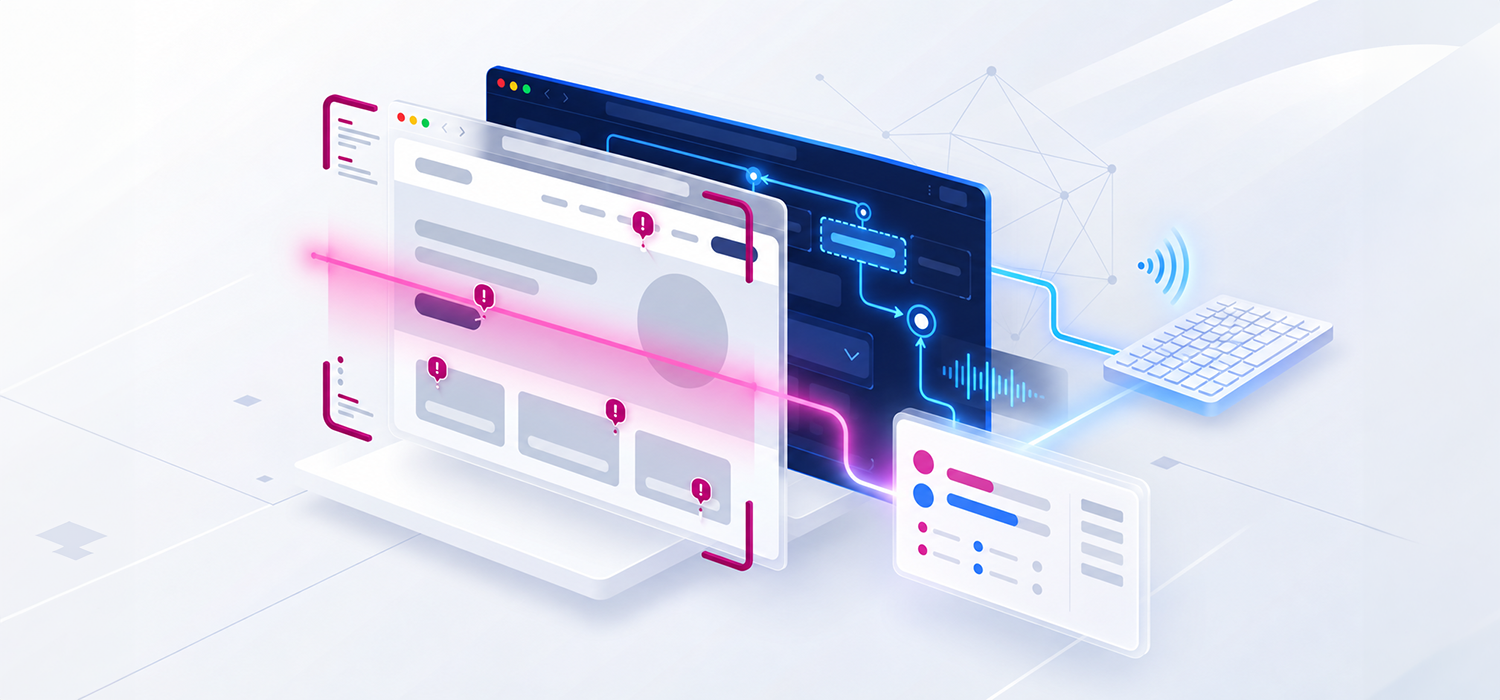
Accessibility testing requires both automated and manual methods because each answers different questions. Automated rules can inspect large amounts of code and rendered content quickly, while manual testing applies human judgement to meaning, behaviour and user impact. A professional accessibility evaluation normally needs both. [1] [2] [4]
The choice is often presented incorrectly as speed versus quality. Automation is not a low-quality version of manual testing, and manual testing is not a slower scanner. Each method examines different evidence. Automation is strongest when the expected result can be expressed as a dependable rule. Manual evaluation is needed when the answer depends on context, intent, interaction, sequence or whether a person can complete a task.
WCAG 2.2 was designed to be testable through a combination of automated testing and human evaluation. W3C also states that no tool alone can determine whether a site meets accessibility standards. Tools assist the evaluation; knowledgeable people determine the wider result. [1] [4]
Scope note This article concerns evaluation of websites and web applications against WCAG. Mobile applications, PDF files and office documents use related principles but need technology-specific tools, test procedures and assistive technology combinations.
The Answer at a Glance
Automated testing is best for broad, repeatable detection of machine-testable patterns. Manual testing is best for determining whether content and interactions meet their intended purpose and whether complete tasks work for people using different input methods and assistive technologies.
Aspect
Automated testing
Manual testing
Speed and scale
Can check many pages or components quickly and repeat the same rules on every build.
Takes longer and is usually applied to a representative sample, critical journeys and high-risk components.
Consistency
Applies the configured rules consistently, but only within their documented scope and implementation.
Depends on evaluator skill and procedure. Documented test cases improve consistency and repeatability.
Context and meaning
Can confirm some technical conditions but usually cannot judge whether content is appropriate in context.
Can evaluate meaning, purpose, sequence, clarity and whether an alternative provides an equivalent experience.
Interaction
Can identify some code patterns and run scripted states, but cannot reliably understand every dynamic journey.
Can operate controls, follow focus, trigger errors and complete realistic tasks with keyboard and assistive technology.
Coverage of WCAG
Covers only requirements and situations that its rules can evaluate reliably.
Can address the full set of relevant success criteria when performed by qualified evaluators using an agreed method.
Best operational use
Development checks, content checks, site-wide scans, regression alerts and monitoring trends.
Design reviews, component evaluation, conformance audits, critical journeys, assistive technology tests and verification.
Main risk
A clean scan may be misread as evidence that the product conforms.
A narrow sample or inconsistent procedure may miss systemic defects outside the tested scope.
Neither column is a substitute for the other. The testing plan should use automation for reach and repetition, then apply expert testing where rules cannot determine the answer or where a failure could block an important task.
What Automated Accessibility Testing Means
An automated accessibility test runs a defined rule against a test subject without asking a person to decide the outcome during that run. Depending on the tool, the test subject may be source code, the Document Object Model, the accessibility tree, computed styles, a rendered page, a component or a collection of pages.
An automated accessibility checker is one type of website accessibility testing tool. It applies a defined set of rules to the pages or components it can inspect and reports potential failures or review items. Its coverage depends on the tested states, permissions and ruleset. W3C’s guidance on selecting accessibility evaluation tools explains why some checks still require human evaluation.
Automation appears in several forms. Browser extensions inspect the current page. Crawlers scan groups of URLs. Linters evaluate source code before it reaches a browser. Component tests run during development. Continuous integration checks can block a build when selected rules fail. Monitoring platforms repeat scans and track trends over time.
Some tools also guide a person through tests that cannot be completed automatically. These are better described as guided or semi-automated tests. The software gathers evidence or presents a question, but a trained person still decides whether the requirement is met. The W3C ACT Rules Format recognises automatic, manual and combined testing modes. [2] [6]
A tool name alone does not define the result. The ruleset, ruleset version, scan configuration, browser, page state and access permissions all affect what is evaluated. Two tools can report different findings on the same page because their rules and assumptions differ.
What Automated Testing Can Find
Automation is most reliable when the required condition is available to the tool and the correct outcome does not depend on subjective meaning. Depending on the technology and ruleset, automated checks can identify issues such as the following.
- A page with no title element or no declared page language.
- Images that have no alt attribute, while leaving the quality and purpose of the alternative for human review.
- Form controls and interactive elements that have no programmatically determinable accessible name.
- Invalid or broken ARIA attributes, references and role combinations that match a documented rule.
- Text contrast failures when the tool can determine the foreground, background, font size and rendered state.
- Missing structural markup, empty headings, empty links and other detectable code patterns.
- Some duplicate, repeated or template-level failures across large numbers of pages.
- The presence or absence of specified media tracks, landmarks, labels and relationships where the rule is objective.
These findings are valuable because one rule can expose a recurring defect across a shared template or component. Automated checks can also run early, before a full user interface is assembled, and repeat after every relevant change. W3C recommends evaluating accessibility early and throughout development because early problems are easier to correct. [1]
Automation also improves traceability when teams record the tool, rule identifier, version and tested build. The ACT Rules Format was designed to make test procedures more transparent and reproducible, although a rule implementation can still produce inaccurate results and needs maintenance as technologies change. [6]
What Automation Cannot Confirm
A machine can often verify that an attribute or relationship exists. It cannot automatically establish that the result communicates the right meaning or supports the intended task. W3C uses alternative text as a clear example: a tool can detect that alt text is missing, but a person must judge whether the supplied alternative is appropriate in context. [3]
Human judgement is normally required to determine whether the following outcomes are achieved.
- Alternative text communicates the purpose of an image, chart, icon or control without adding irrelevant information.
- Headings, labels, instructions and link text describe the content or action clearly.
- Reading order, focus order and visual order remain meaningful across layouts, languages and responsive states.
- Every function can be completed with a keyboard and focus remains visible, predictable and unobscured.
- Custom controls expose the correct name, role, value and state and announce changes at the right time.
- Forms provide enough instruction, identify errors clearly and allow users to recover and complete the task.
- Captions, transcripts and audio descriptions are accurate, complete and synchronised.
- Content reflows correctly when zoom, text size, text spacing, orientation or viewport width changes.
- A multi-step journey such as registration, authentication, booking or payment can be completed independently.
- An apparent technical pass does not create a barrier when used with real browsers and assistive technologies.
Automation can also miss states it never reaches. Authenticated pages, expanded menus, dialogs, validation errors, timeouts, personalised content and third-party payment or identity services may remain outside a crawl unless the scan is configured to operate those paths. A report should identify which states and environments were actually tested.
What Manual Accessibility Testing Includes
Manual testing is a structured evaluation performed by a person. It is not limited to looking at the page, tabbing through a few controls or turning on a screen reader. A professional manual review applies documented procedures to representative pages, components, states and complete processes, then records evidence against the agreed standard. [5] [7]
Expert Review
The evaluator examines structure, content, design and behaviour against the relevant WCAG success criteria. This includes questions that depend on purpose and context, such as whether a heading describes its section, whether an error message explains how to recover and whether an accessible name matches the visible label.
Keyboard Testing
The evaluator completes tasks without a mouse or touch input. Testing follows focus through menus, dialogs, forms, date pickers, data grids and other components. It checks reachability, operation, focus order, visible focus, escape behaviour and whether any part of the interface traps or loses the user.
Assistive Technology Testing
The evaluator uses agreed combinations of browsers, operating systems and assistive technologies such as NVDA, JAWS, VoiceOver or TalkBack. Tests cover navigation, control announcements, dynamic updates, validation, tables and meaningful task completion. The selected combinations should reflect the product audience and accessibility support baseline rather than an undefined promise to test every possible environment.
Responsive and Visual Testing
The interface is reviewed at relevant zoom levels, viewport sizes, text-spacing settings, orientations and colour modes. The evaluator checks whether content becomes clipped, obscured or unavailable and whether controls remain perceivable and operable after the presentation changes.
Content and Language Review
Content is tested for meaningful alternatives, descriptive links, clear instructions, appropriate headings, understandable errors and correct language changes. This work becomes especially important on Arabic and bilingual services because direction, translation and mixed-language content can change the experience independently of the English version.
Manual testing also has limitations. It is slower, usually sample-based and sensitive to evaluator knowledge, fatigue and consistency. A manual review is credible only when its scope, procedure, environments, sample and findings are documented. A quick keyboard check by an untrained reviewer is not equivalent to a professional manual audit.
A Practical Comparison of Common Checks
Test area
What the methods contribute
Strongest approach
Image alternatives
Automation can detect a missing or empty attribute in defined situations. Manual review determines whether the image is decorative and whether the text conveys its purpose.
Both
Colour contrast
Automation can calculate many rendered text and component combinations. Manual review is needed for complex backgrounds, states the tool cannot reach and content the tool cannot identify reliably.
Both
Heading structure
Automation can expose markup and suspicious patterns. Manual review determines whether the hierarchy describes the content and supports navigation.
Both
Keyboard operation
Tools may flag code patterns or support scripted tests. A person must operate the full component and confirm focus behaviour across the task.
Manual led
Accessible names roles and states
Automation can calculate many names and identify invalid ARIA. Manual and assistive technology testing confirm that controls are announced and behave as intended.
Both
Forms and errors
Automation can find missing associations and some technical failures. Manual testing evaluates instructions, error meaning, recovery and completion.
Both
Reflow zoom and text spacing
Automated checks can expose some overflow or layout conditions. Manual review verifies that zoom, reflow and text spacing preserve information and functionality.
Manual led
Captions and transcripts
Automated checks may detect a caption track or related markup. Manual review evaluates accuracy, completeness, synchronisation and whether the required media alternatives are available.
Manual led
Complete user journey
Scripted automation can repeat known paths, but it cannot reliably judge whether the journey is understandable and accessible across all relevant states.
Manual led
Site-wide recurring defects
A crawler can find repeated machine-testable patterns efficiently. Manual review validates representative results and identifies the root component or template.
Automated led
False Positives False Negatives and Review Items
Automated results are not limited to clear passes and failures. A false positive reports a failure where the requirement is satisfied. A false negative reports a pass or no issue where a failure exists. A tool may also identify an element that needs human review because it cannot determine the answer.
The W3C ACT Rules Format explicitly recognises outcomes where the tester cannot determine the result or the subject was not tested. It also notes that rule implementations can become inaccurate because assumptions are wrong, technology changes or an edge case was overlooked. [6]
Teams should handle automated output as follows.
- Keep the tool, ruleset and version with the result so it can be reproduced.
- Separate confirmed failures from warnings and items that require review.
- Validate representative results manually before launching a large remediation campaign.
- Group repeated instances by root cause, template or shared component.
- Record accepted exceptions and false positives so they do not return as unexplained noise.
- Review tool rules after product, framework, browser or ruleset updates.
A dashboard that counts every repeated instance as a separate critical issue can distort priorities. A shared navigation defect may appear on thousands of pages but require one component fix. Conversely, one failure in a payment confirmation may block a critical task even though it appears only once. Results need technical validation and user-impact triage.
Why Detection Percentages Are Misleading
Claims that automated tools detect a fixed percentage of accessibility issues sound precise but usually omit the denominator. The percentage may refer to WCAG success criteria, rule types, unique defects, repeated instances, pages or findings in a particular benchmark. These are not interchangeable measures.
The result also changes with the tool, ruleset version, technology, page state and type of defect. A simple content site and a complex authenticated application do not present the same testing problem. A page with hundreds of images missing alt attributes may produce many automated findings while still telling us little about coverage of keyboard, focus, errors or complete processes.
WCAG does not assign one universal automation percentage. Organisations should therefore ask what was tested, which rules were used, what counted as an issue and which requirements still needed human evaluation. A transparent coverage statement is more useful than a promotional percentage.
How to Combine Automated and Manual Testing
The methods work best as one testing system rather than two disconnected exercises. Automation should reduce preventable defects and extend coverage. Manual evaluation should examine the requirements, states and journeys that rules cannot settle.
- Define the target Name the product, build, WCAG version and level, languages, environments, user roles, critical journeys and required evidence.
- Establish broad coverage Run configured automated checks across accessible public and authenticated areas. Record exclusions and states the scan could not reach.
- Explore and sample Identify templates, components, technologies, content types, responsive states and complete processes. Select a representative manual sample. [5]
- Perform expert review Evaluate the relevant WCAG criteria, validate automated output and inspect content, structure, interaction and presentation.
- Test input and assistive technology Complete agreed tasks with keyboard and the selected browser and assistive technology combinations.
- Consolidate evidence Remove duplicates, group systemic causes and record location, user impact, WCAG mapping, severity, reproduction steps and expected outcome.
- Remediate and retest Correct root causes, repeat the relevant automated and manual tests and check that the fix did not introduce a regression.
- Maintain coverage Keep automated checks in development and publishing workflows, then schedule manual reassessment for high-risk releases and product changes.
This sequence is flexible. A design-system team may manually evaluate components before a website exists. A content team may run automated checks at publication. A mature product team may execute automated rules in continuous integration and reserve expert effort for new patterns and complete journeys. The essential requirement is that the methods cover each other’s known gaps.
Testing Throughout the Product Lifecycle
Stage
Automated contribution
Manual contribution
Design
Contrast calculations, token validation and design-plugin checks.
Reading order, focus intent, responsive behaviour, error design and interaction alternatives.
Development
Linters, unit tests, component rules and build checks for repeatable code conditions.
Keyboard behaviour, name role value, dynamic states and component interaction.
Quality assurance
Page and journey scans in realistic test environments.
Task-based checks, zoom, text spacing, assistive technology and error recovery.
Pre-release
Broad scan for recurring regressions and unresolved known rules.
Scoped conformance evaluation of representative pages and complete processes.
Production
Scheduled monitoring, trend reporting and checks on newly published content.
Periodic audits, release-specific verification and investigation of user feedback.
Automated tests create the most value when they prevent a known defect from returning. Once a manual audit identifies a recurring component failure, the team should decide whether a dependable regression rule can be added to the component test suite. Not every manual finding can be automated, but many root causes can be guarded with targeted tests.
Arabic and Bilingual Accessibility Testing
Arabic and English versions can share code while producing different accessibility outcomes. Translation, right-to-left layout, mixed-direction text, localised components, content workflows and documents can introduce failures that do not appear in the English interface.
Automation can help identify selected technical conditions, including the following.
- Whether a page or passage declares a language and whether direction attributes are present where the rules expect them.
- Missing accessible names, form associations and structural markup in localised templates.
- Some contrast, ARIA and component failures that remain machine-testable regardless of language.
- Differences in issue counts or code patterns between corresponding language versions.
Manual Arabic testing is still needed to determine the following.
- Whether alternative text, links, labels, instructions and errors communicate the intended Arabic meaning.
- Whether screen readers select the correct pronunciation and handle language changes within mixed Arabic and English content.
- Whether visual order, reading order and focus order remain logical after the interface changes direction.
- Whether numbers, dates, currency, verification codes, telephone numbers and embedded English terms are understandable in context.
- Whether mirrored icons, menus, dialogs, carousels and form controls behave correctly in the right-to-left layout.
- Whether Arabic documents, media alternatives and third-party steps support the same complete journey.
Tool language support should be checked rather than assumed. A tool may detect that Arabic is declared without being able to judge the quality of the Arabic content or the way a particular screen reader pronounces and navigates it. The test plan should name the actual language, browser, operating system and assistive technology combinations in scope.
User Testing and Conformance Testing
Testing with people with disabilities adds evidence that neither a scanner nor an expert conformance review can fully reproduce. It can reveal how users understand a task, where they hesitate, which workarounds they need and which barriers matter most in real use. W3C notes that user evaluation can identify usability issues that conformance evaluation alone does not discover. [8]
User testing is not a replacement for standards-based evaluation. Results from a small number of participants cannot be generalised to every disability, assistive technology or WCAG requirement. W3C recommends combining user involvement with WCAG conformance evaluation and reporting the study scope and participant characteristics accurately. [8]
The strongest programme therefore uses three evidence sources where risk and budget justify them: automated checks for scale, expert evaluation for conformance and user research for lived task experience. Each source should retain its own purpose rather than being merged into one unexplained score.
AI Assisted Accessibility Testing
AI-assisted tools may classify findings, suggest alternative text, summarise code or propose remediation. These features can reduce review time, but they do not change the underlying requirement to validate meaning and behaviour. Generated alternative text can be fluent and still describe the wrong purpose. Generated code can satisfy a simple pattern while breaking keyboard or assistive technology behaviour.
Treat AI output as a candidate result. Record which part was generated, review it in context and retest the implemented change. A vendor should explain its rules, evidence, uncertainty and data handling rather than using the term AI as a substitute for a testing method.
How to Choose Tools and Testing Services
A tool should be selected for a defined role in the delivery process. A browser extension for developers, an enterprise crawler, a document checker and an audit platform solve different problems. W3C recommends considering the product type, scope, standards, operating system, browser, language support, reporting and the skills of the people who will use the tool. [2]
Ask tool vendors and service providers to answer these questions in writing.
- Which standards, versions, levels, technologies and file types are supported.
- Which rules are fully automated, guided or manual and which requirements remain outside the ruleset.
- How rules are identified, versioned, validated and updated after technology changes.
- How false positives, false negatives, warnings and accepted exceptions are handled.
- Whether the tool can reach authenticated pages, dynamic states, responsive views and third-party steps.
- Whether Arabic content and right-to-left interfaces are supported and how that support was validated.
- What data is transmitted, stored or used by AI features and whether sensitive test content can be excluded.
- How results integrate with development, content, quality assurance and issue-tracking workflows.
- Whether the tool interface and exported reports are themselves accessible.
- For a service, which manual tests, assistive technologies, journeys, deliverables and retest rounds are included.
Do not compare a tool licence, an automated site scan and a professional manual audit as though they are equivalent products. Compare the coverage, evidence, expertise and decisions each one supports. The lowest scan price may still leave the organisation without the information needed to remediate or make a defensible conformance statement.
Questions Organisations Ask
Which Is Better Automated or Manual Testing
Neither method is better for every question. Automation is better for repeatable machine-testable rules and broad coverage. Manual testing is better for context, interaction, assistive technology and complete tasks. A professional programme combines them.
Does Zero Automated Errors Mean the Website Conforms
No. It means the configured tool did not report a failure under the rules and states it tested. Requirements outside those rules, inaccessible states and contextual failures may remain. W3C states that evaluation tools cannot determine accessibility on their own. [2]
What Percentage of Issues Can Automation Find
There is no universal percentage that applies to every tool and product. Published figures often count different things and use different benchmarks. Ask for the exact ruleset, coverage definition, tool version and denominator rather than relying on one headline number.
Is Manual Testing the Same as Screen Reader Testing
No. Screen reader testing is one part of manual evaluation. Manual work also includes keyboard operation, visual review, zoom and reflow, text spacing, focus behaviour, forms, errors, media, content meaning and other assistive technologies where relevant.
Must Every Page Be Tested Manually
Not usually. Small products may be tested in full. Larger products normally use a documented representative sample covering templates, components, states, languages and complete processes, supported by broader automated coverage. Sampling limits must be reported accurately. [5]
Can Developers Rely on Automated Tests in Continuous Integration
Automated build checks are valuable for preventing known code-level failures, but they do not replace component review and task-based manual testing. Use them as an early quality gate, then test new patterns and high-risk journeys manually.
How Often Should Manual Testing Be Repeated
Repeat targeted manual tests when shared components, critical journeys, languages or platform behaviour change. Carry out a broader reassessment after major redesigns or migrations and on a schedule based on product risk, release frequency and contractual requirements.
Does User Testing Replace a WCAG Audit
No. User testing reveals real task experience, but a limited participant group cannot cover every WCAG requirement or disability context. Combine it with expert conformance evaluation. [8]
Can AI Replace an Accessibility Expert
No current AI feature removes the need to validate purpose, context, interaction and assistive technology behaviour. AI can assist triage and drafting, but its output remains evidence to review, not proof of conformance.
Which Findings Should Be Fixed First
Prioritise barriers that block or seriously delay critical tasks, affect shared components, expose high-risk services or have no practical workaround. Do not rank work only by automated issue count or WCAG level. Confirm the root cause and user impact first.
A Defensible Testing Model
A defensible accessibility testing model states what each method covers. Automated checks name their rules, versions, states and exclusions. Manual tests name their sample, procedures, environments and assistive technologies. Findings are validated, grouped by root cause and connected to user impact and the relevant requirement.
The strongest programme does not wait for a final audit. It uses automation to prevent familiar defects during design, development and publishing, then directs expert effort toward new components, meaningful content, dynamic states and complete journeys. Retesting confirms the correction through the same method that exposed the barrier.
When an organisation understands the limits of both methods, it can purchase the right service, interpret results accurately and invest remediation effort where it changes the user experience.
How VisiAble Can Help
VisiAble helps organisations build an evidence-based accessibility testing programme. Our professional audits combine automated coverage with expert manual review, keyboard testing, assistive technology testing, Arabic and English evaluation, prioritised remediation guidance and verification of fixes.
We can also help teams decide where automated checks belong in development and content workflows, validate tool findings and define the manual coverage needed for critical user journeys and procurement evidence.
Need to know what your current tools are missing? Request a professional accessibility assessment from VisiAble.
Official Sources
- W3C Evaluating Web Accessibility Overview
- W3C Selecting Web Accessibility Evaluation Tools
- W3C Easy Checks A First Review of Web Accessibility
- W3C Web Content Accessibility Guidelines WCAG 2.2
- W3C WCAG Evaluation Methodology WCAG-EM 2.0
- W3C Accessibility Conformance Testing Rules Format 1.1
- W3C Using Combined Expertise to Evaluate Web Accessibility
- W3C Involving Users in Evaluating Web Accessibility
- Section508.gov Overview of Testing Methods for 508 Conformance
- W3C ACT Rules for Accessibility Conformance Testing